

01
Operations overview and service status
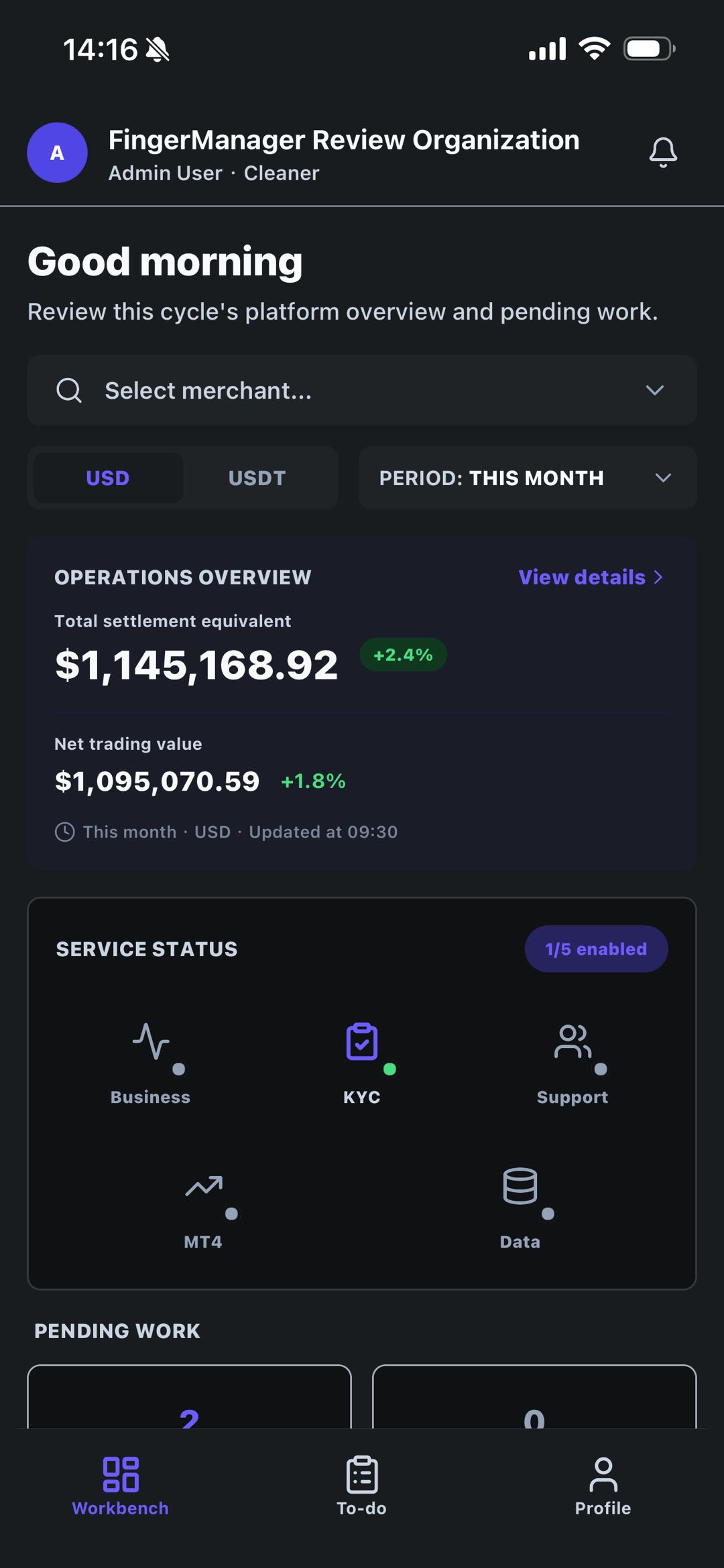
The Workbench screen brings cycle overview, merchant filtering, currency views, service status, and pending work into one mobile surface for quick management review.
Product surface
Finger Manager Mobile App brings operations overview, pending queues, service status, and organization settings to mobile so authorized teams can keep internal review and collaboration moving away from the desktop console.
The iOS app is now available on the App Store. Google Play and Android APK entry points will be enabled after the URLs are confirmed.
The app is for authorized organization members handling internal operations, task review, and organization settings. It is not a retail account-opening, trading, or funds-service destination.
App screenshots
The page uses product screenshots to show how the mobile app supports high-frequency operating scenarios outside the desktop console.
The Workbench screen brings cycle overview, merchant filtering, currency views, service status, and pending work into one mobile surface for quick management review.
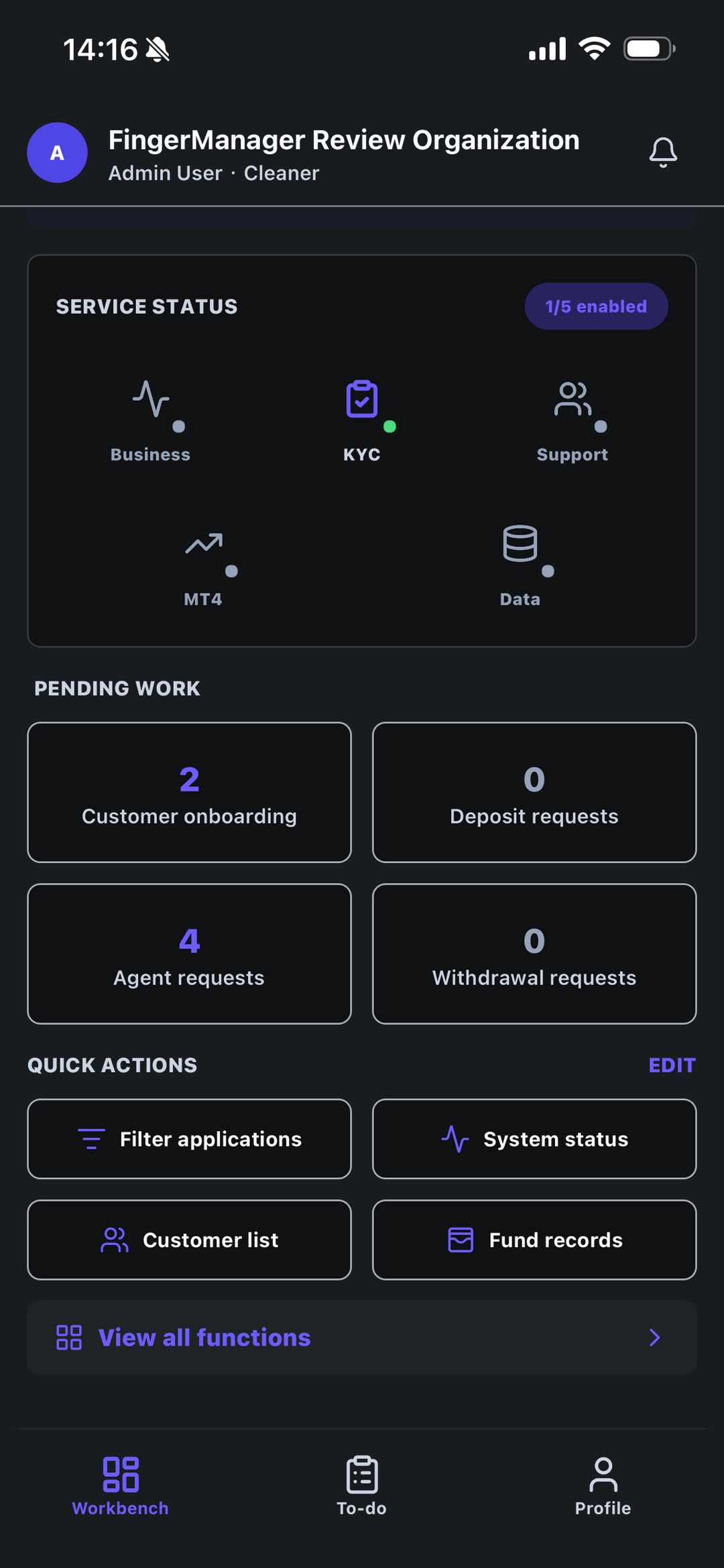
Teams can open customer onboarding, agent requests, payment workflow review, system status, customer lists, and fund records from mobile without relying only on the desktop console.
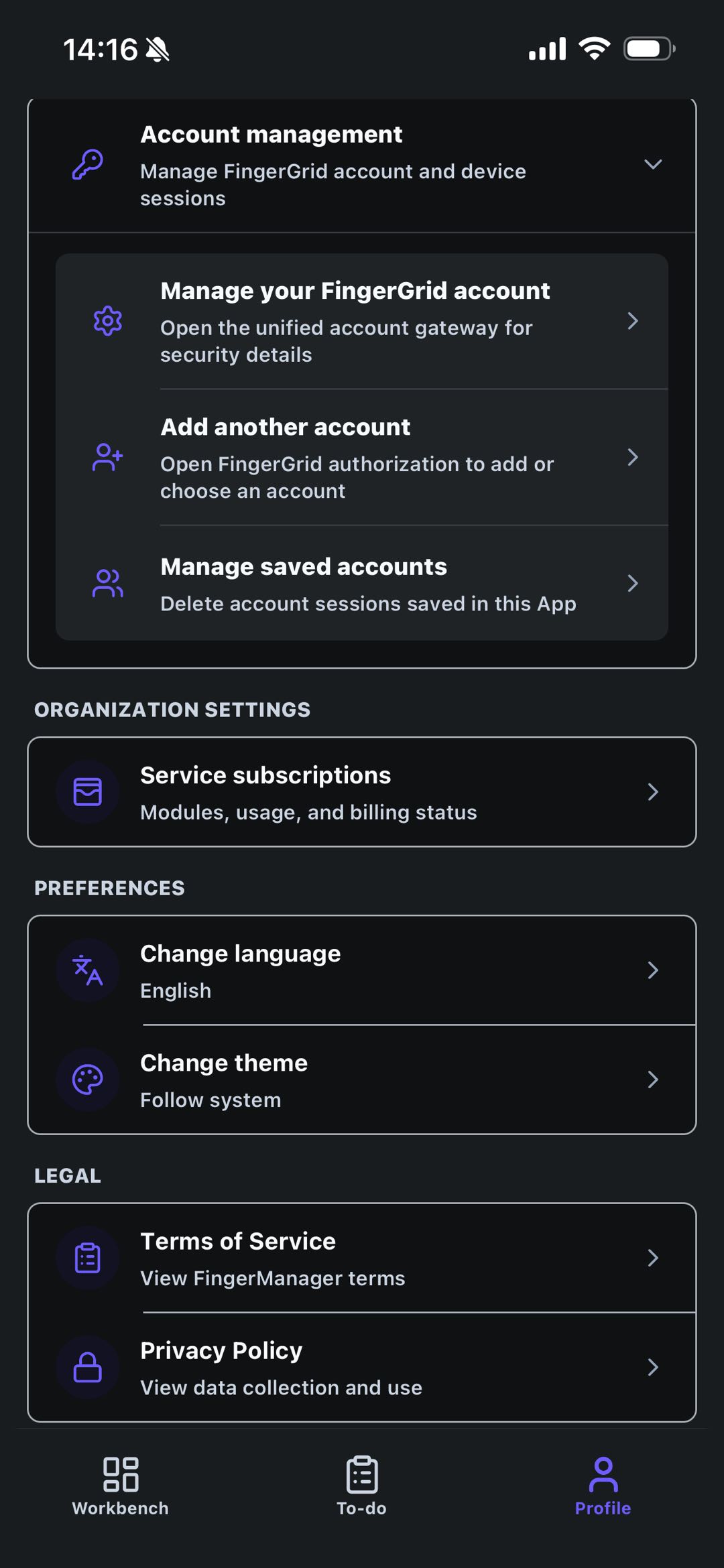
The Profile area carries organization account sessions, service subscriptions, language and theme preferences, terms, and privacy links for authorized enterprise members.
Mobile workflows
Teams can check status, follow up tasks, open client and payment-related workflows, and keep organization settings and account sessions controlled from mobile.
Centralize operating cycles, status reminders, and team queues on one mobile home screen so managers switch context less often.
Turn onboarding, KYC follow-up, agent requests, and payment workflow review into clear mobile task entry points.
Show which modules are enabled across business, KYC, support, MT4, and data so teams understand the active operating scope.
Support account sessions, organization subscriptions, language, theme, and policy links for enterprise member management.
Operating boundary
The mobile surface is organized around enterprise accounts, permissions, auditability, and workflow review so managers act in the right operational context.
Next step
Mobile App works with the desktop console and Module Store to give broker-side teams a more continuous operating experience.